Stop Guessing. Start Designing With the Right Colors.
Everything You Need to Work With Color - In One Place
No more switching between color pickers, contrast checkers, and converters. Pick A Pixel brings your entire color workflow into a single streamlined extension.
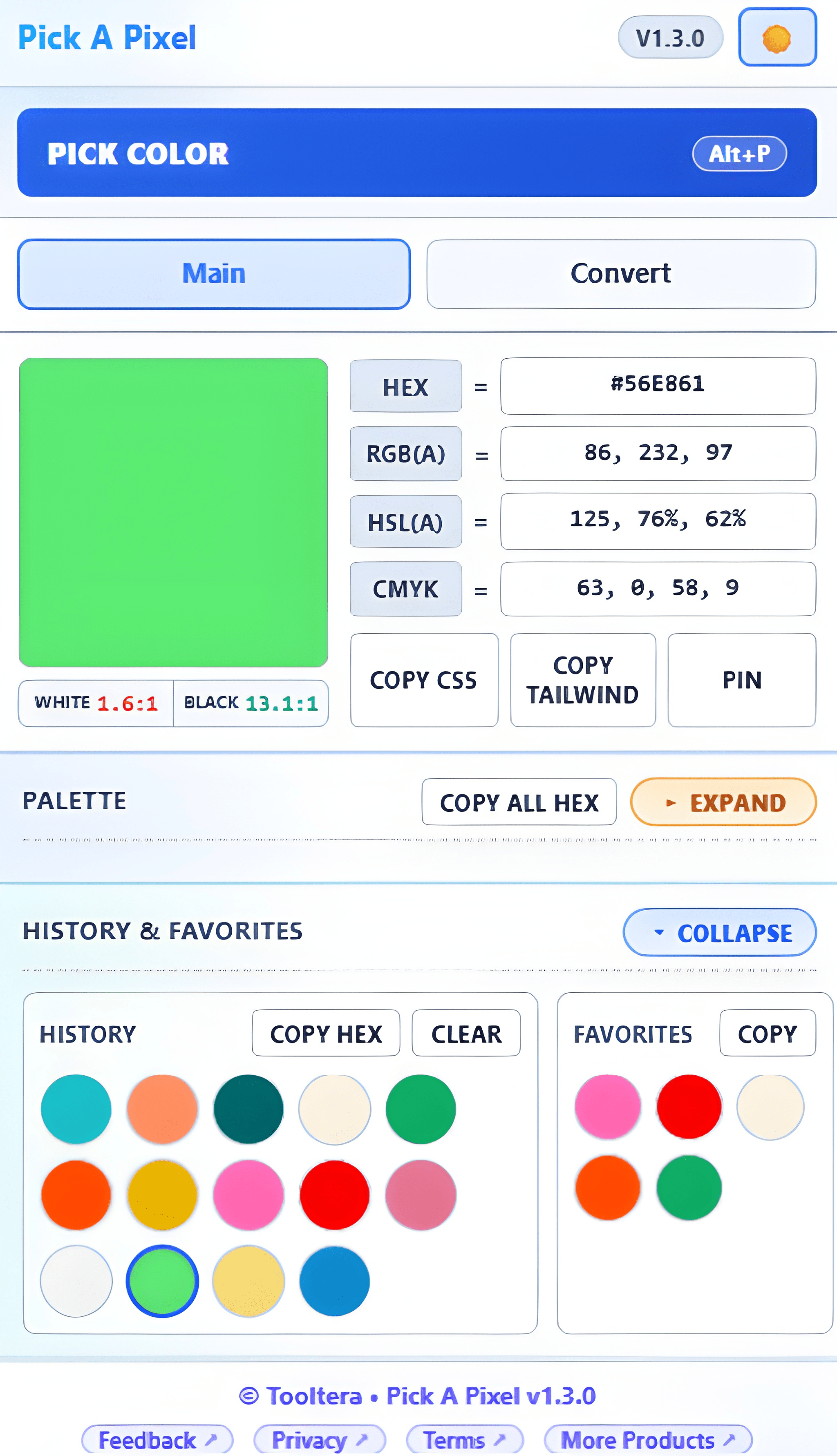
Capture Any Color in One Click
Click anywhere on your current tab and instantly grab the exact pixel value. No screenshots, no external tools — just press Alt+P and select.
Generate Smart, Balanced Palettes
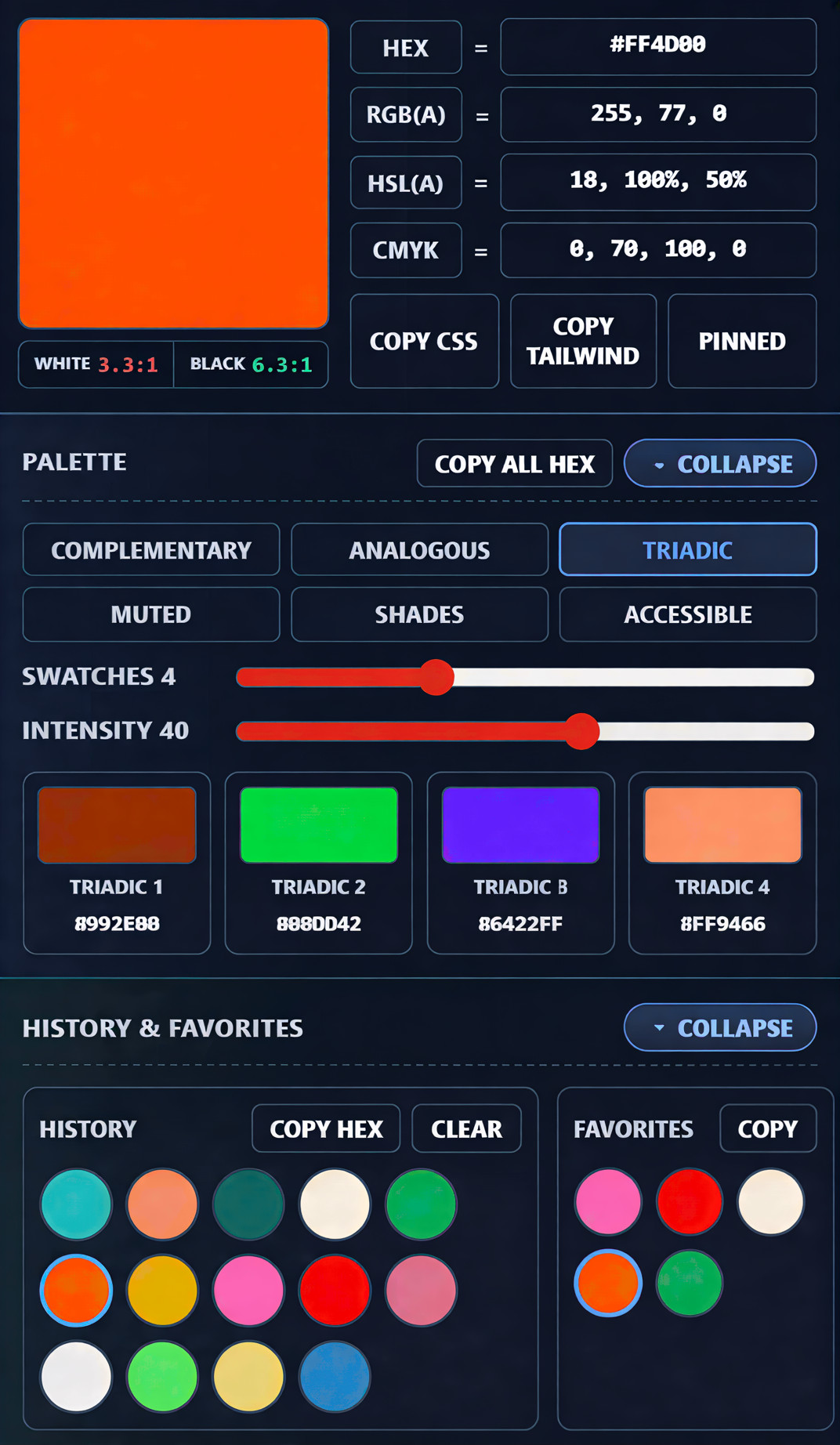
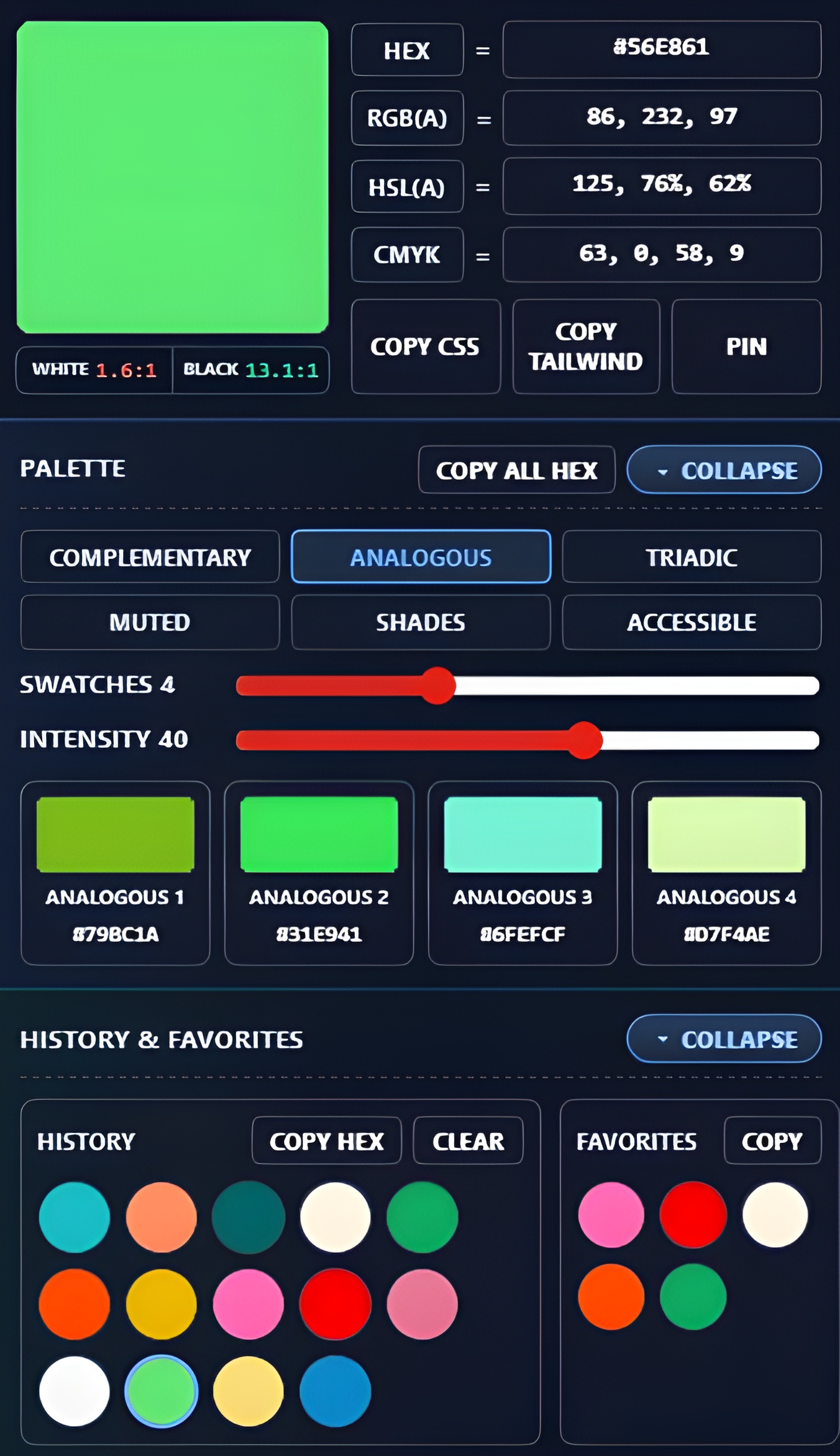
Automatically create different Color palettes from your base color. Adjust intensity to match your design needs.
Real-Time WCAG Contrast Feedback
Instantly see AA and AAA compliance results against light and dark backgrounds so you can ship designs that are readable and inclusive.
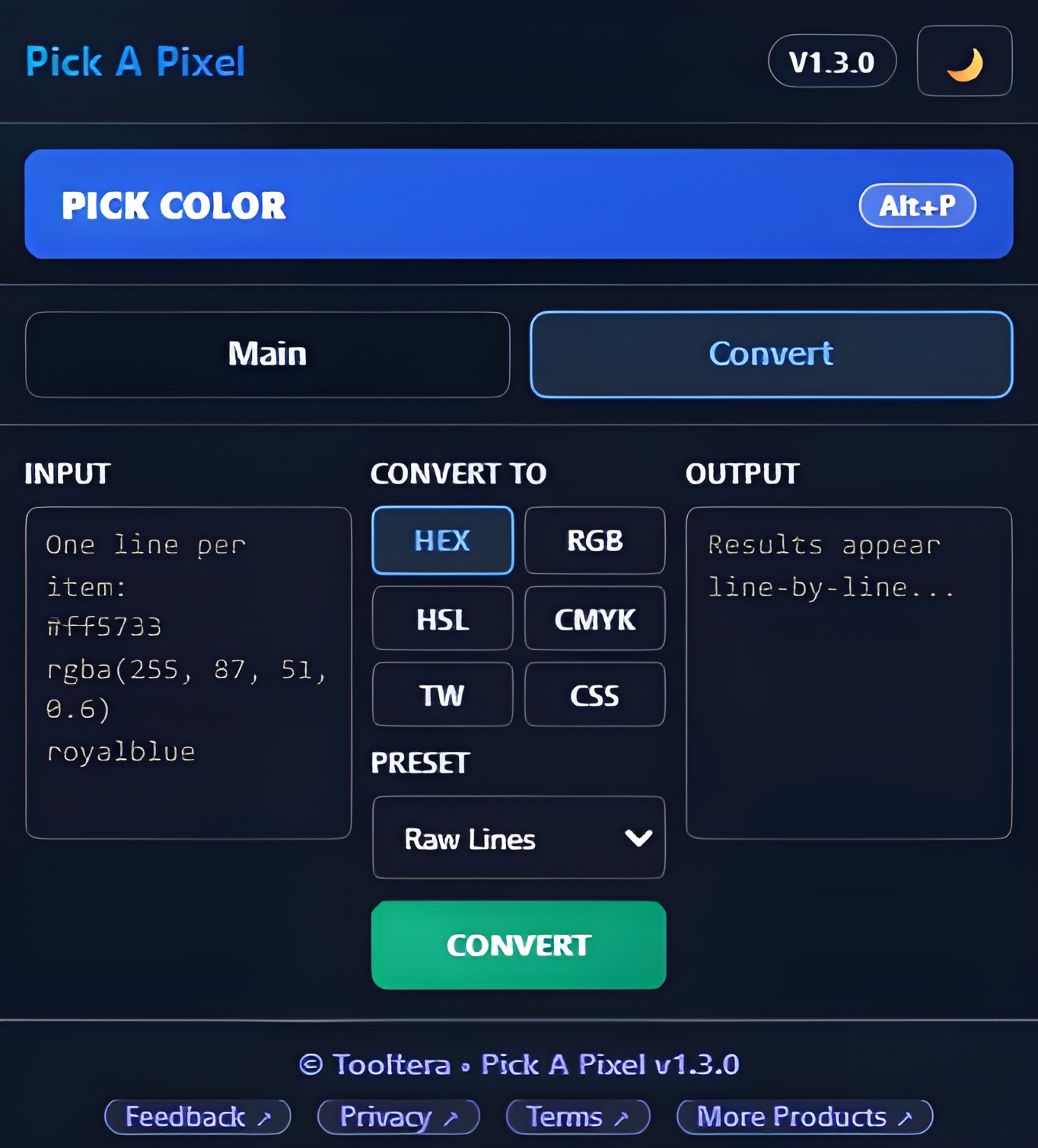
Convert Any Format Instantly
Paste multiple HEX, RGB, or HSL values and convert them to CMYK, Tailwind, or CSS-ready formats in seconds. Output is auto-copied so you can keep moving.
Automatic History & Favorites
Every picked color is saved locally in your browser. Reopen, reuse, and refine anytime — without creating an account.
See Pick A Pixel in Action
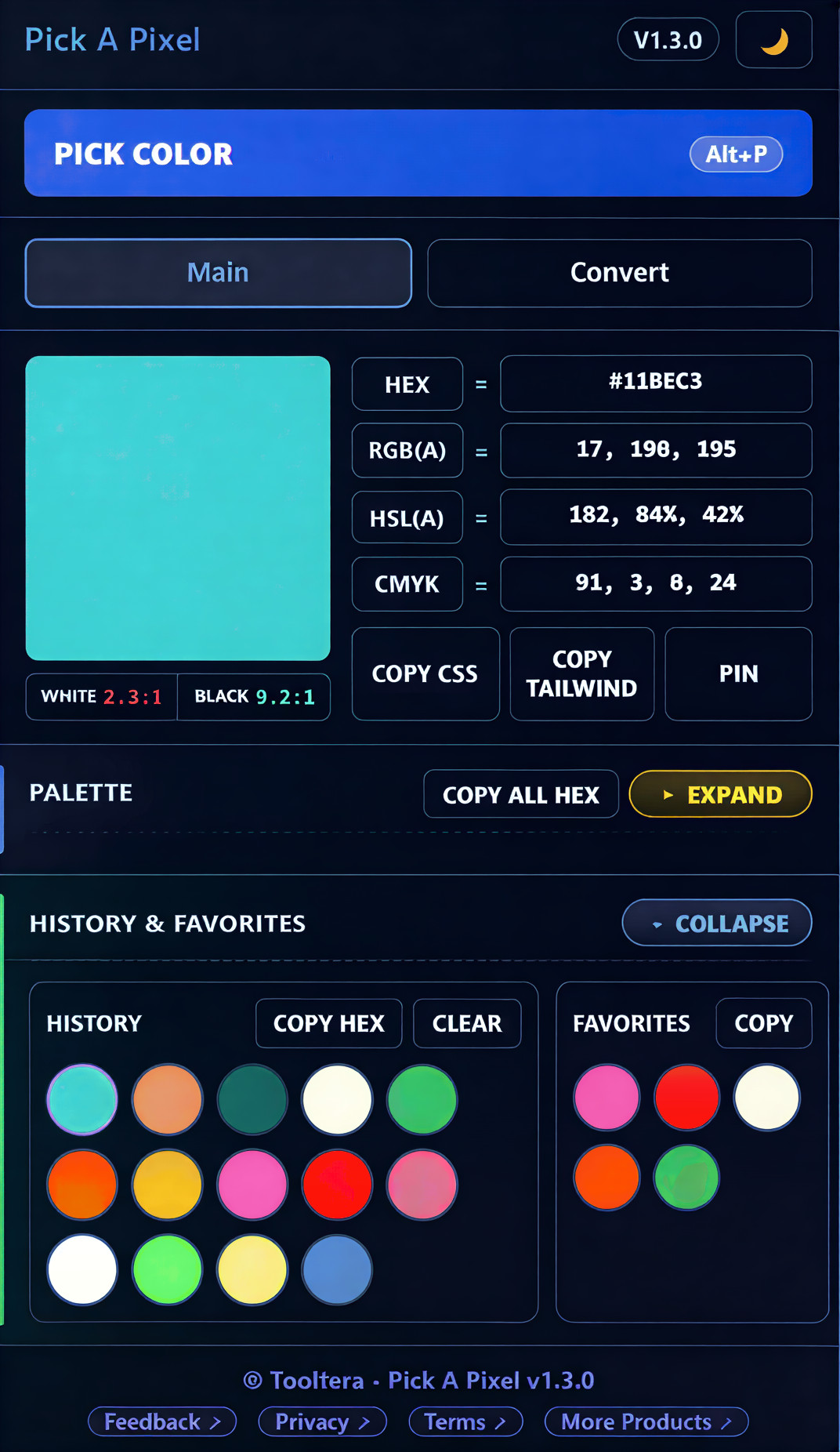
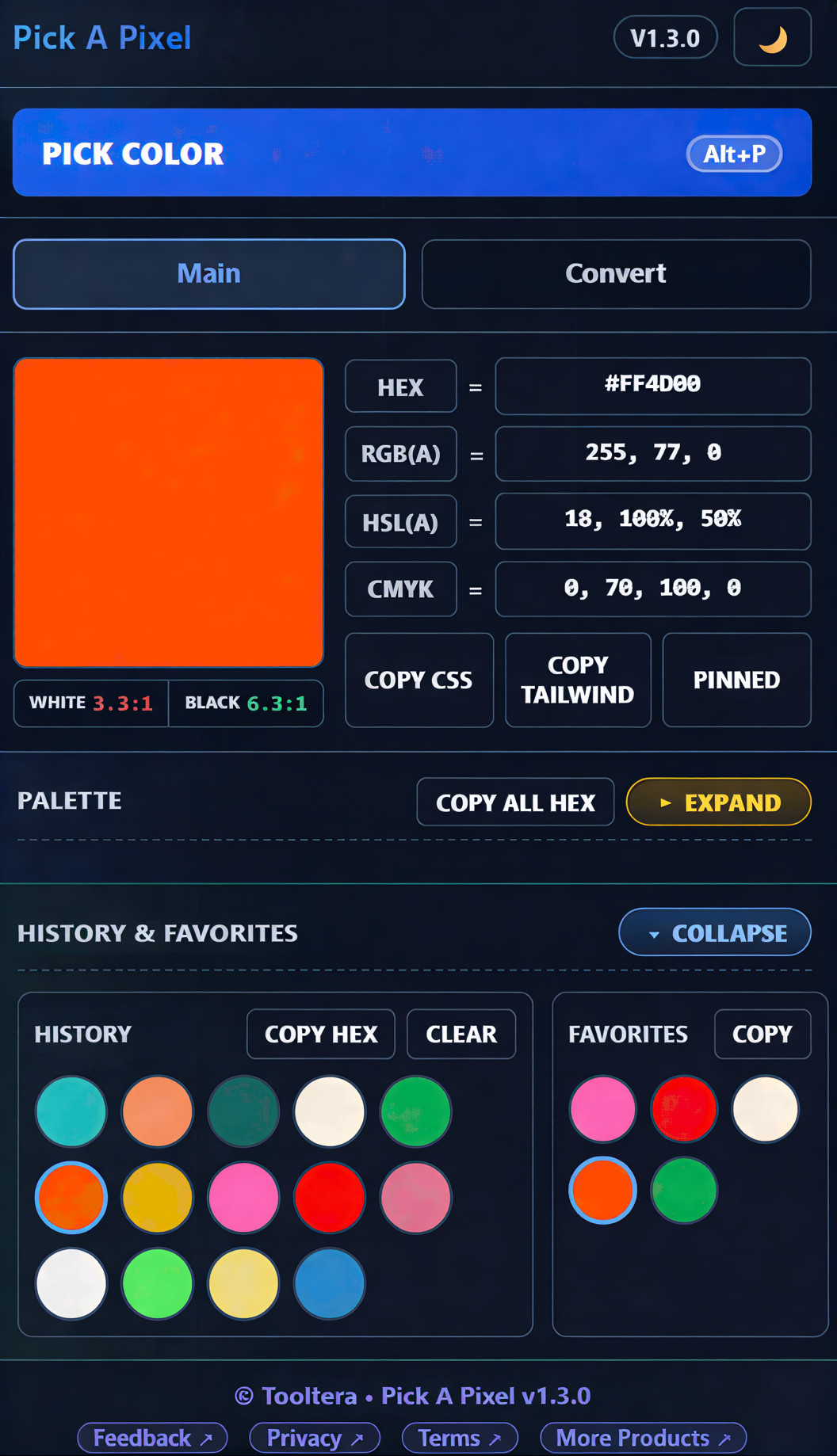
A picture is worth a thousand words. Here's what Pick A Pixel looks like.
Professional Color Tools — Built Into Your Browser
Designed for designers, developers, and creators who care about precision, speed, and accessibility.
Precision Color Inspector
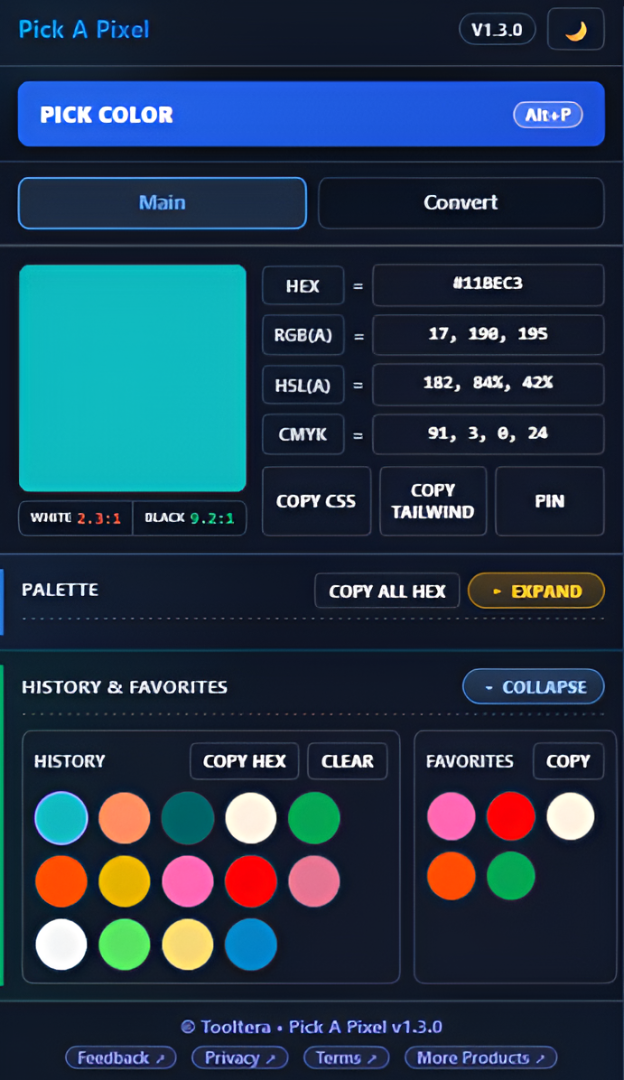
Activate the picker from the popup or press Alt+P to select any pixel from your active tab. Immediately view HEX, RGB, HSL, CMYK, Tailwind utility classes, and CSS-ready output in one unified panel. Click any value to copy it instantly. No manual formatting required.
Intelligent Palette Generation
Turn a single color into a fully structured palette in seconds. Choose your harmony mode and customize swatch count and intensity to fit branding, UI design, or marketing needs. Perfect for building consistent design systems without trial and error.
Built-In Accessibility Validation
Contrast ratios are calculated automatically using WCAG standards. Instantly see whether your color combinations pass AA or AAA requirements for both normal and large text — before your design goes live.
Batch Converter for Developers
Working with multiple colors? Paste them all at once and convert to your required format instantly. Generate Tailwind classes, CSS properties, HEX, RGB, HSL, or CMYK output without juggling multiple tools.
Simple. Free. No Accounts Required.
Install and start picking colors immediately. No signup. No tracking. No limits.
Free
- Unlimited color picking
- Unlimited palette generation
- WCAG contrast checker
- Multi-format batch converter
- Keyboard shortcut support
- No tracking or analytics
Frequently Asked Questions
Is Pick A Pixel really free?
Does it require an account?
Is my data stored anywhere?
What browsers are supported?
What permissions does the extension need?
Legal Information
Pick A Pixel - Privacy policy and Terms of service
Privacy Policy for Pick A Pixel
Effective Date: February 22, 2026
1. Introduction
Tooltera ("we", "us", or "our") has created the Pick A Pixel Chrome Extension (the "Extension"). We are committed to protecting your privacy and ensuring transparency about how your data is handled.
This Privacy Policy explains our practices regarding the collection, use, and disclosure of information when you use our Extension.
2. Information We Collect
2.1. No Personal Data Collection
We do not collect, transmit, store, or share any personal data.
The Extension operates completely locally on your device. All processing, including color picking, palette generation, and history tracking, happens directly within your browser.
2.2. Local Storage
We use your browser's local storage (chrome.storage.local and chrome.storage.session) strictly to save your preferences and ensure a seamless experience. This includes:
- Your color history and favorites
- Your palette settings (e.g., complementary mode, swatch count, intensity)
- Theme preferences (light/dark mode)
- Temporary session states for keyboard shortcuts (e.g.,
Alt+P)
This data never leaves your device and is never sent to our servers or any third party.
3. Permissions Justification
To provide its core functionality, Pick A Pixel requires the following minimal permissions as mandated by the Chrome Web Store:
activeTab: This permission is required to use the native browser EyeDropper API. It allows the Extension to capture a pixel color from the specific tab you are currently viewing only when you explicitly trigger the color picker (via the popup button or theAlt+Pkeyboard shortcut). We do not read your browsing history or access other tabs.storage: This permission is used solely to save your color history, favorites, and user preferences locally on your device, ensuring your palettes and settings are available across browsing sessions.
4. Third-Party Links
Our Extension includes links to external resources for your convenience:
- Feedback Form: Hosted on Google Forms. Submitting feedback is entirely voluntary and subject to Google's Privacy Policy.
- More Products: Links to our developer page on the Chrome Web Store.
We do not track your interaction with these external links.
5. Changes to This Privacy Policy
We may update this Privacy Policy from time to time. We will notify you of any changes by posting the new Privacy Policy on this page and updating the "Effective Date" at the top.
6. Contact Us
If you have any questions, concerns, or feedback regarding this Privacy Policy or the Extension, please contact us at support@tooltera.com or submit your thoughts via our Feedback Form.
You can also explore more products from Tooltera on the Chrome Web Store.